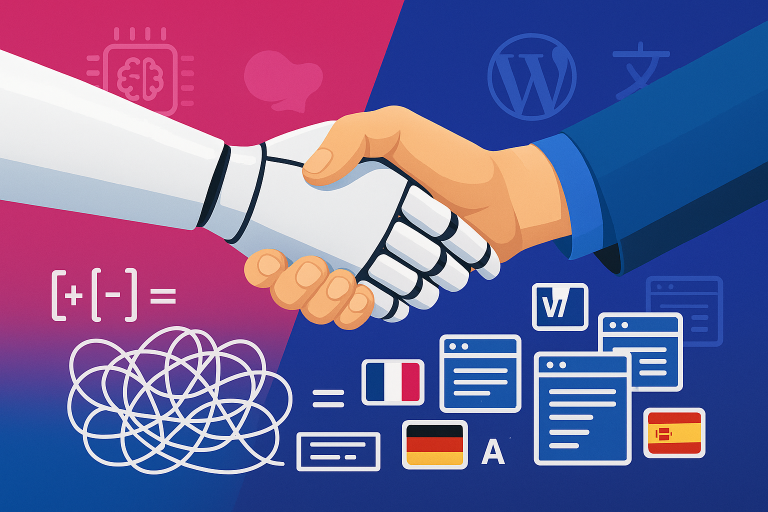
After 2.5 years of development, we’re finally launching version 2 of our Polylang AI Automatic Translation plugin.
This isn’t just an update. This is the AI translation plugin we always wanted to build – one that understands everything WordPress throws at it. Including Kadence Blocks.
What Changed From V1
In version 1, we did what most translation plugins do: we built custom integrations for each page builder. One integration for Elementor, another for Divi, another for Beaver Builder. Every time we wanted to support a new builder, we had to write specific code for it.
It worked, but it was limiting. We were always playing catch-up. New page builder? Write new code. Builder updates its structure? Update our code. Custom blocks? More code.
We realized this approach would never scale to handle the diversity of WordPress.
So for version 2, we completely changed our thinking.
The V2 Approach: Let AI Figure It Out
Instead of programming support for every possible scenario, we now let the LLM do the heavy lifting.
We built a framework with tool calling – giving AI models like ChatGPT, Claude, and Gemini the tools and instructions they need to understand WordPress structures on their own.
The AI gets:
- Tools to find and read content from the database
- Instructions on how different page builders typically store data
- Guidance on what needs translation vs what needs preserving
- Methods to save translations back correctly
Then we let the LLM figure out the specifics for each page.
This means when the AI encounters Kadence Blocks, it doesn’t follow pre-programmed “Kadence support.” It reads the structure, understands what it’s looking at, and translates it intelligently.
Why This Is Revolutionary for Kadence Users
If you’re building with Kadence Blocks, you know how powerful it is. Advanced layouts, row blocks, tabs, accordions, countdowns – all the design control you need without leaving Gutenberg.
But those advanced blocks store complex nested data structures. Content mixed with settings, CSS classes, and configuration options.
In v1, we would have needed to write specific code for each Kadence block type. With v2, the AI just handles it:
- Recognizes Kadence Blocks when it encounters them
- Understands which data is content (needs translation) and which is configuration (don’t touch)
- Translates everything with full page context
- Preserves your entire design and layout
- Works with Kadence Pro blocks automatically
You don’t configure anything. You don’t map fields. The AI figures it out.
But It’s Not Just Kadence
Here’s what makes v2 revolutionary: we’re not building “support” for individual builders anymore. The AI just understands WordPress structures.
Your site probably uses:
- Kadence Blocks for landing pages
- Regular Gutenberg blocks for blog posts
- Maybe some Elementor pages from before
- ACF fields in custom post types
- WooCommerce products
Version 2 handles all of it with the same AI framework. We give the LLM the tools it needs, and it adapts to whatever it finds.
You don’t categorize your content. You don’t use different workflows for different builders. The AI looks at each page and figures out what to do.
How The Tool Calling Works
Modern AI models can use “tools” – functions they can call to get information or perform actions.
We built tools that let the AI:
- Read content from WordPress database tables
- Understand post meta structures
- Identify what type of content it’s dealing with
- Save translations back in the correct format
The AI uses these tools intelligently. It reads a page, identifies “this is Kadence Blocks with nested row layouts,” extracts the content, translates it with context, and saves it back correctly.
All without us having to program specific Kadence support.
Bulk Translation That Actually Works
Click one button. Action Scheduler processes your entire site in the background.
Whether you have 10 pages or 500, it handles it. You see what’s translated, what’s pending, what’s left.
And here’s the smart part: when you update a page, the AI compares it to the existing translation and only re-translates what changed. Your existing translations stay consistent, you don’t waste API credits.
2.5 Years to Get Here
We didn’t rush this. We spent 2.5 years building the framework that makes this possible.
Version 1 taught us that custom integrations for every builder wasn’t sustainable. Version 2 is our answer: let AI understand WordPress, give it the right tools, and it adapts to anything.
The vision was always clear: an AI translation plugin that just understands WordPress, regardless of how you build your sites.
Version 2 is that vision realized.
For Kadence Blocks (And Everything Else)
If you’re building with Kadence Blocks and Polylang, version 2 is ready for you. Your advanced layouts, your complex blocks, your entire site – it all translates correctly.
And when you mix Kadence with other builders, other plugins, other content types? It still works. Because we’re not maintaining separate code for each – the AI just adapts.
After 2.5 years, we’re excited to finally launch this: Get Polylang AI Automatic Translation v2
This is what we’ve been building toward. An AI translation plugin that actually understands WordPress.
Try it on your Kadence sites – we’d love to hear how it works for you.