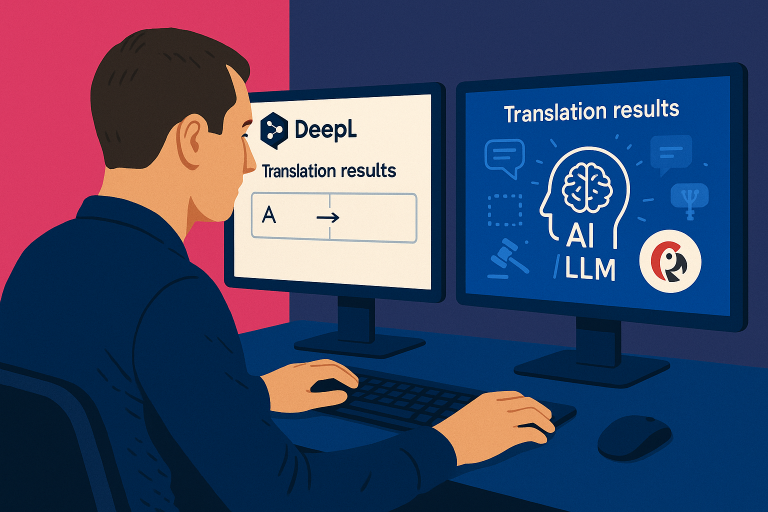
Version 4.12 is a big one. We’ve redesigned the Activity Panel, made the dashboard faster, and added several features that make managing translations at scale much smoother.
Redesigned Activity Panel
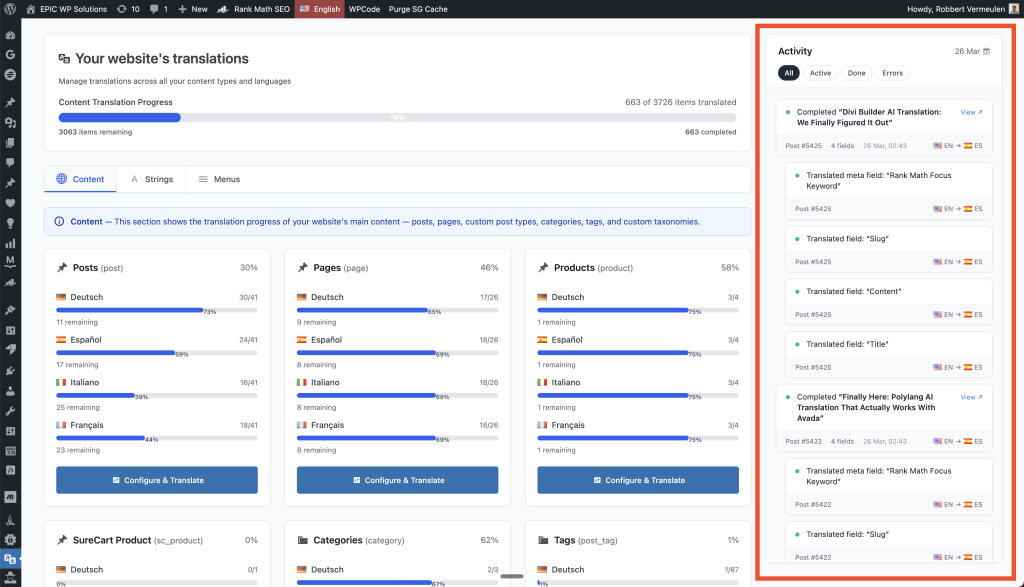
The Activity Panel has moved from a sidebar overlay to an always-visible inline panel with a chronological feed. You can now watch translations happen in real-time — every field, every language — without opening a separate window.
The logs now clearly distinguish between field types (title, slug, description, custom fields), so you always know exactly what’s being translated. Click any completed item to view it instantly.
Redesigned Discovery Overlay
The way the plugin discovers new content to translate has been redesigned. There’s now a scan-now trigger so you can manually kick off a content scan whenever you want, instead of waiting for the automatic detection.
Auto-Detect New Translation Fields
When new translatable fields appear on your content (like a new ACF field or WooCommerce attribute), the plugin now automatically detects them and adds tasks to your existing translation jobs. No need to retranslate everything — it just picks up what’s new.
Database Cleanup
A new daily archival process automatically cleans up completed translation jobs from your database. This prevents table growth over time, especially important for large sites translating thousands of items.
Dashboard Performance
The dashboard now caches statistics and uses optimized queries. If you have thousands of posts across multiple languages, you’ll notice it loads significantly faster.
Bug Fixes
- Fixed issues causing stuck translation runs and empty activity panels
- Improved error messages — especially when source content is deleted or trashed
- Better WooCommerce variation sync with support for previously missing translatable fields
- Eliminated UI flickering and loading glitches in the dashboard
Update Now
This update is available now for all customers. Go to Plugins → Updates in your WordPress admin, or download the latest version from your customer dashboard.
If you’re not using Polylang AI Translation yet, check it out here.