At its heart, a gettext PO file is a special kind of dictionary for software. For WordPress users, it’s a simple text file that holds all the translations for a theme or plugin. Think of it as a two-column list: in one column, you have the original English text, and in the other, you have its direct translation. This file is where human translators do their magic, making it the central piece of any manual website translation and localization effort.
The Three Key Files in WordPress Translation
To really get a feel for how PO files work, you need to understand that they're just one part of a trio. It’s a simple, logical system once you see how the pieces fit together.
Let's start with the POT (Portable Object Template) file. Imagine this as the master blueprint for your theme or plugin's text. Developers run a tool that scans their code and pulls out every single string that needs to be translated—like "Read More" or "Submit a Comment." The POT file lists all these original strings but contains no translations. It’s a clean slate, a template waiting to be used.
Next up is the PO (Portable Object) file. This is where the actual translation happens. You take the POT blueprint and create a copy for each language you want to support (for example, fr_FR.po for French or de_DE.po for German). A translator opens this file and, for every original string (msgid), they provide the translated version (msgstr). It's designed to be human-readable and easy to edit.
Finally, we have the MO (Machine Object) file. Your web server needs to be fast, and reading a plain text PO file every time someone visits a page would be slow. So, once you're done translating the PO file, it gets compiled into a binary, machine-readable MO file. WordPress uses this optimized file to instantly grab and display the correct translations on your website. It's not for humans to read; it's purely for performance.
To make this crystal clear, here’s a quick breakdown of what each file does.
WordPress Translation File Types Explained
This table provides a quick reference for the three core gettext file types and their roles in the WordPress translation process.
| File Type | Full Name | Primary Purpose | Is it Editable? |
|---|---|---|---|
| POT | Portable Object Template | The master template containing all original, translatable strings. | No (it's a template) |
| PO | Portable Object | The editable file where human translators add translations. | Yes |
| MO | Machine Object | The compiled, machine-readable file used by WordPress for speed. | No |
This workflow—from template to editable file to compiled output—is a time-tested standard.
A Longstanding Standard for Open-Source
This whole system comes from GNU gettext, which has been the gold standard for translating open-source software since the early 1990s. Its power lies in its simplicity. The straightforward key-value format (msgid for the original text, msgstr for the translation) makes it easy for developers and translators to work together without stepping on each other's toes.
Its incredible reach is undeniable. The gettext system officially supports 235 languages and dialects, which is why it's the backbone of countless international WordPress sites.
The entire process can be visualized in a simple flow.
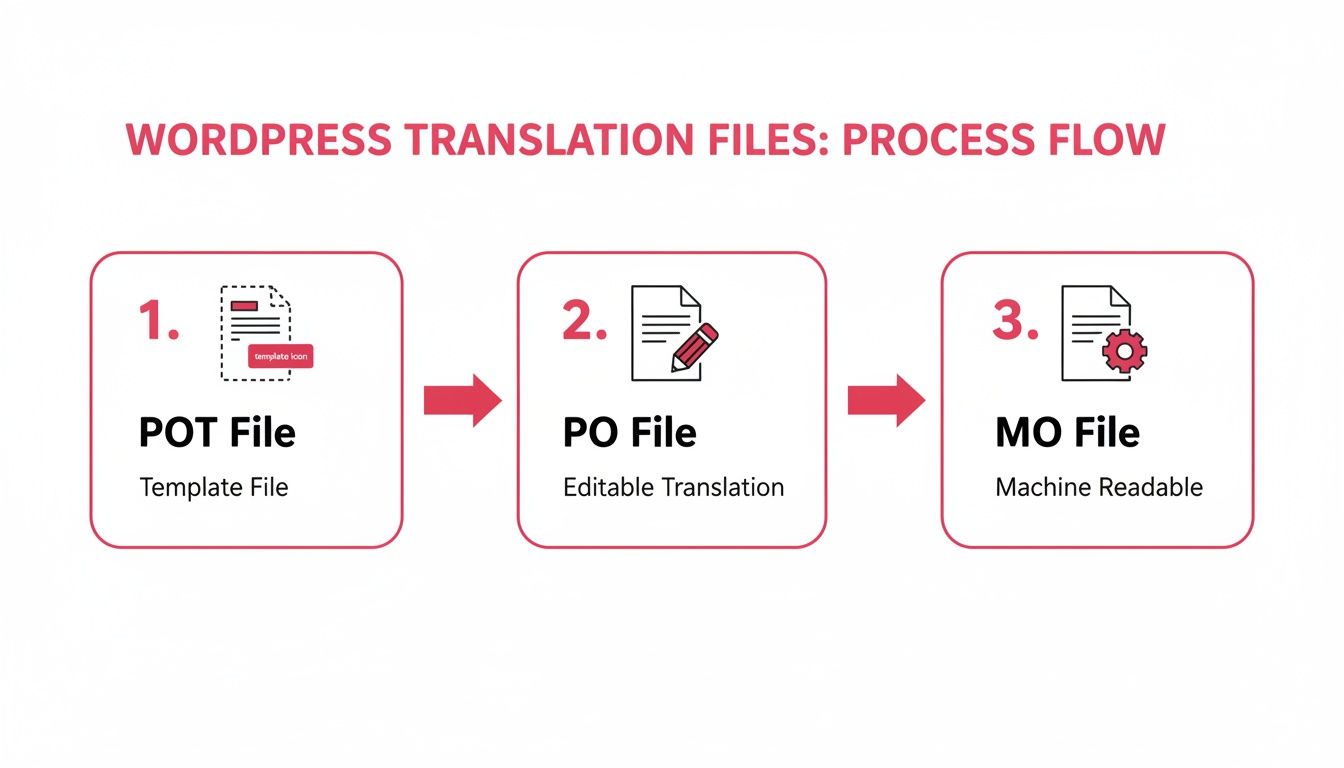
As the diagram shows, the POT file acts as the source template, the PO file is where translations are created, and the MO file is the final, optimized version that WordPress uses to display your multilingual content. Getting this concept down is crucial before tackling more complex workflows. While this system is robust, its manual nature can create some serious bottlenecks, which we'll get into next.
Why Manual PO File Workflows Are Flawed
While the gettext PO file system gives us a standardized way to handle translations, doing it all by hand is a recipe for headaches. As your website grows—adding more content and more languages—managing these files manually quickly turns into a major chore for everyone involved.
These manual workflows are incredibly fragile. A developer fixes a simple typo in your theme’s code, and suddenly, every single translation for that string breaks. Why? Because the system identifies strings by their exact text, not by a permanent, unique ID. Change the source text by a single character, and the connection to its translation is lost.
At its core, the gettext PO file format's reliance on
msgid(the source text) as the key identifier is a fundamental flaw in modern development environments. Any change to the source string requires a complete re-synchronization and re-translation effort.
This structural quirk creates a ton of extra work. A developer making a quick correction might not realize they’ve just created hours of work for the translation team. Now, someone has to go hunt down the old, obsolete entries across every language file and update them.
The Problem of String Collisions
Another huge issue is something called "string collision." This is where the exact same word, used in completely different contexts, gets lumped together into a single translation entry. By default, gettext has no way of knowing the meaning of a word based on where it shows up.
Let's take a common example from a WooCommerce store:
- You might have a button that says "Open" for viewing a product.
- An order status could also be labeled as "Open."
In English, it's the same word. But in German, the translation is totally different. The button (an action) should be "Öffnen," while the status (a state) should be "Offen." Without a way to add context, the PO file system merges them. You end up with the wrong word in one of those places, which looks confusing and unprofessional.
A System Built on Unstable Foundations
These problems point to some deep flaws in traditional gettext workflows. As research into the format highlights, because strings are identified by content instead of a unique ID, even fixing a typo can wipe out all its translations. The system also merges identical strings by default, causing those tricky context-based errors like our 'Open' button vs. 'Open' status example.
This constant risk of things breaking and translations being just plain wrong makes managing PO files by hand an unsustainable strategy. For any modern, dynamic website, a smarter, more automated approach isn't just a nice-to-have—it's essential for keeping your translations accurate and your team sane.
The good news is that modern tools can help you sidestep these issues, especially when you’re dealing with your site's main content.
Even though working directly with gettext PO files can feel a bit old-school, it's a genuinely useful skill to have in your back pocket. For small jobs, one-off changes, or just tweaking a single line of text in a theme, a dedicated editor is your best bet. The undisputed champion in this space is Poedit, a powerful cross-platform editor that’s become the industry standard for a reason.
Poedit takes the guesswork out of editing PO files. Instead of wrestling with raw text and worrying about syntax, you get a clean, straightforward interface that understands the file structure, so you can’t really mess it up.
Here's a look at the simple, focused welcome screen you'll see.
As you can see, Poedit gets right to the point. It gives you clear starting options like "Edit a Translation" or creating a new one specifically for a WordPress theme or plugin. This approach is far less intimidating than just opening a code file and wondering where to begin.
Your First Translation Project with Poedit
Getting a new translation project off the ground in Poedit is refreshingly simple. The software really holds your hand through the initial setup, turning what could be a headache into a pretty smooth process.
Here’s what a typical workflow looks like when you're translating a WordPress plugin or theme:
- Install Poedit: First things first, grab the free version of Poedit from the official website. It works on Windows, macOS, and Linux.
-
Find the POT File: Dig into your theme or plugin's files and look for a
languagesfolder. Inside, you should find a .POT (Portable Object Template) file—this is your master template. - Create a New Translation: Fire up Poedit and choose the option to create a new translation from a POT file. Point it to the file you just found.
-
Choose Your Language: Poedit will prompt you to select the language you're translating into (e.g., "French (France)"). It's smart enough to name your file correctly based on your choice, like
fr_FR.po. -
Start Translating: You’ll see the main editor, with all the original English strings (
msgid) on the left. Just click on a string and type your translation in themsgstrbox at the bottom. - Save Your Work: When you hit save, Poedit works its magic. It not only saves your .po file but also automatically compiles the matching .mo file that WordPress actually uses.
The single biggest time-saver with Poedit is that automatic MO file compilation. It completely removes the need to use command-line tools like
msgfmt, which is a common stumbling block for newcomers and a tedious extra step for everyone else.
Speeding Up Your Workflow with Poedit's Features
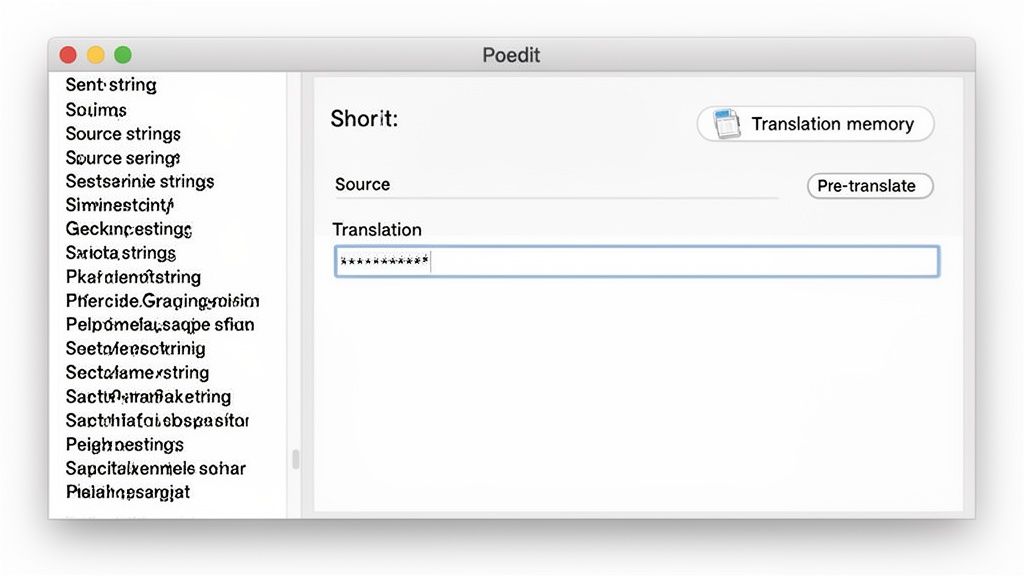
Poedit is much more than a simple text editor; it’s packed with features designed to make you a more efficient translator. Its most powerful feature is probably its Translation Memory (TM).
As you work, Poedit learns and remembers your translations. The next time you come across an identical or similar string, it will suggest your previous translation. This saves you an incredible amount of time and ensures consistency across a project.
If you spring for the Pro version, you also get pre-translation suggestions from machine translation engines. This can give you a decent first pass on a file, which you can then polish and perfect. It's this blend of a clean UI, automatic compilation, and smart suggestions that makes Poedit the go-to tool for anyone working directly with PO files.
Keeping Your Translations Updated After a Change
Translation is never a one-and-done job. It’s a living process that evolves right alongside your website. Your theme gets a feature update, a plugin adds a new setting—and just like that, you have new text strings that don’t exist in your current gettext PO file. This is where the real maintenance work begins, and it’s a critical part of keeping a multilingual site professional and user-friendly.
When a developer updates their code, they also generate a new POT template file containing all the new and modified text. This instantly makes your existing PO files out of date. The challenge now is to update your translations without losing all the work you’ve already put in.
This process is called synchronization or merging. It’s all about comparing the new POT template with your existing PO file to figure out what’s new, what’s changed, and what’s stayed the same.
The Technical Side of Synchronization
For anyone comfortable with the command line, the gettext toolkit provides a specific tool for this job called msgmerge. You can think of msgmerge as a smart comparison tool. It takes your old PO file and the new POT file, mashes them together, and produces a new, updated PO file.
Here’s what it does during the process:
- Identifies New Strings: Any text that’s in the new POT but not in your old PO file gets added as a new entry, ready for you to translate.
- Preserves Old Translations: All your existing, unchanged translations are carried over perfectly. No work is lost.
-
Flags "Fuzzy" Entries: If a source string was slightly changed (maybe a typo was fixed),
msgmergewill often make an educated guess for the translation and mark it as "fuzzy." This is simply a flag telling a human translator, "Hey, check this one to make sure it's still correct."
This synchronization step is absolutely essential. If you don't merge updated POT files with your existing translations, you'll end up with a broken user experience. New features on your site will appear untranslated, creating an inconsistent and confusing interface for your international visitors.
An Ever-Evolving Technical Task
The technical side of PO file management really highlights the complexity of keeping translations current. Tools like msgmerge and another utility called tupdate were built specifically to handle these updates. The tupdate program, for example, is designed to refresh existing language.po files by comparing them against newly extracted source strings, adjusting line references, and marking entries that are no longer used. You can find more insights about these gettext tools on weblate.org.
This constant need for technical oversight—generating POTs, running msgmerge, and checking fuzzy entries for every language and every update—adds up to a significant technical burden. This persistent overhead is exactly what drives many teams to look for more efficient, automated solutions that can handle these changes without all the manual command-line work. If you're curious about the technical details behind language identifiers, you might be interested in our guide on what is a locale.
Automating Your Workflow with AI Translation
If you've ever found yourself stuck in the endless loop of updating, merging, and checking a gettext po file, you know how frustrating it can be. It's a major bottleneck. While this process is a necessary part of translating theme and plugin strings, it's a completely avoidable headache for your website's actual content—your posts, pages, and products.
This is where modern AI-powered tools enter the picture and completely change the game. Instead of wrestling with files, advanced translation plugins for WordPress let you translate your entire site's content right from the dashboard, often in just a few clicks. It's an automated approach that gets rid of the manual labor and technical fiddling that PO files demand.
A Smarter Way to Translate Content
These tools hook directly into WordPress, connecting your site to powerful AI translation engines. The whole process becomes incredibly simple: pick the content you want to translate, choose your target languages, and let the AI do the heavy lifting.
Let's look at how this modern approach stacks up against the old-school, file-based system:
- Direct Integration: All the translation work happens inside your WordPress admin area. No more switching back and forth with an external editor.
- Speed and Scale: You can translate hundreds of pages into multiple languages in minutes. A task that used to take weeks is now done in a coffee break.
- Fewer Errors: Automation virtually eliminates the risk of human error. No more syntax mistakes, incorrect file names, or busted uploads.
This screenshot from the Polylang Automatic AI Translation plugin shows just how easy it is. You can simply check off multiple pages and translate them all at once.
The biggest win here is the massive jump in efficiency. You’re taking a job that would have required days of back-and-forth with translators and file management and finishing it before your coffee gets cold.
Overcoming Gettext Limitations with AI
One of the best things about using AI translation plugins is how they elegantly solve some of the most stubborn flaws in the gettext system, like string collisions. As we talked about earlier, gettext can get confused and incorrectly merge identical words that mean different things in different contexts.
AI-powered tools are context-aware. They don't just see isolated words; they analyze the surrounding text to grasp the true meaning. This leads to far more accurate and natural-sounding translations than a simple file-based system could ever hope to achieve.
For example, a plugin like Polylang Automatic AI Translation uses this contextual understanding to deliver much higher-quality results. That means you spend less time correcting awkward phrasing and more time focusing on your global audience. The benefits are crystal clear: huge time savings, better accuracy, and the power to scale your multilingual strategy without adding to your workload. If you want to dive deeper into the tech, you can learn more by reading about what neural machine translation is.
For anyone exploring even more advanced applications, this article on a language translator chatbot offers some great insights into how AI is changing multilingual communication. By embracing automation for your content, you can reserve the manual PO file process for what it's good at—the static text in your themes and plugins—and adopt a much smarter, more efficient hybrid strategy.
It’s Time for a Smarter WordPress Translation Strategy
Getting comfortable with the gettext PO file system is a fantastic skill to have, especially when you need to wrangle text strings hiding inside your themes and plugins. It’s a core part of how WordPress works, no doubt about it.
But let's be honest: relying on that manual workflow to translate all of your website's content—every page, every blog post—is a recipe for a headache. It's an outdated approach that's slow, full of potential for human error, and just doesn't work for a website that's trying to grow. It’s a system from a different time.

Why Automation Is the Way Forward
For modern WordPress translation, the real game-changer is automation. AI-driven tools are now the gold standard for anyone serious about building a multilingual site because they deliver speed and consistency that manual methods just can't match. They skip the entire clunky, file-based process for your posts and pages, translating everything right inside your WordPress admin.
Modern AI translation tools offer a smarter, integrated approach, turning a multi-step technical process into a simple, one-click action. This allows you to focus on your global strategy, not on managing files.
It's time to ditch the tedious routine of exporting, editing, and uploading PO files for your main content. If you're looking for a solution that's fast, affordable, and scales with your ambition, you need a modern tool like the Polylang Automatic AI Translation plugin. You can translate your entire site in minutes and move on to what really matters.
Your Top Questions About Gettext PO Files Answered
Jumping into the world of gettext files for the first time? You probably have a few questions. Let's clear up some of the most common ones people run into.
Can I Just Edit a PO File with a Text Editor?
Technically, yes, you can. A gettext PO file is just a plain text file, so any text editor can open it. But I would strongly advise against it.
It's incredibly easy to mess things up. One tiny syntax mistake—a missing quote, an extra space—can break the whole file, and WordPress won't be able to read it. You're much better off using a purpose-built tool like Poedit. It understands the PO file structure, prevents you from making file-breaking errors, and even offers helpful features like translation memory to speed things up.
Do I Really Have to Translate Every Single String in the POT File?
Definitely not. The POT file is like a master blueprint containing every single translatable string from a theme or plugin's code. A lot of that text, however, is for the back-end—things like admin notices or settings labels that your visitors will never see.
The smart move is to focus your energy on the front-end text. Prioritize the strings that directly impact your users' experience.
A great strategy is to map out the most critical paths on your site. Think about the checkout process, the main navigation, or key landing pages. Translating these areas first gives you the biggest bang for your buck and improves the user experience where it counts the most.
How Do AI Plugins Deal with Theme and Plugin Strings?
This is where a hybrid approach usually comes into play. AI translation plugins are fantastic for your content—your posts, pages, WooCommerce products, and so on. But they aren't typically designed to directly modify theme and plugin PO files.
Instead, you'll use a feature like the String Translations module in a tool like Polylang. You can load your theme's MO files to get the default translations in place. Then, if you want to tweak a specific button or label, you can manually override it right there in the WordPress admin. It gives you the best of both worlds: automated speed for your content and granular control over your site's interface text.
Ready to stop wrestling with files and start translating your site in minutes? The team at EPIC WP Solutions built the Polylang Automatic AI Translation plugin to make your WordPress translation workflow fast, affordable, and incredibly simple.