If your website only speaks one language, you’re leaving a shocking amount of opportunity on the table. The key to unlocking that growth is figuring out how to translate a page efficiently, turning your single-language site into a multilingual asset that genuinely connects with customers everywhere.
With today’s tools, this is faster and more affordable than ever.
Comparing Page Translation Methods
Here’s a quick look at the main methods for translating a WordPress page, from manual work to fully automated AI.
| Method | Best For | Speed | Cost |
|---|---|---|---|
| Browser-Based (e.g., Google Translate) | Casual, personal use; getting the gist of a page. | Instant | Free |
| Manual Translation (e.g., Polylang, WPML) | High-stakes content where nuance is critical; legal or technical documents. | Very Slow | High (Translator Fees) |
| Hybrid Plugins (e.g., TranslatePress) | Sites needing a mix of auto-translation and manual fine-tuning. | Fast | Moderate (Subscription) |
| AI Translation (e.g., Polylang Pro) | Quickly translating entire sites with good accuracy and brand control. | Very Fast | Low to Moderate |
Each approach has its place, but as you can see, AI-powered tools offer a compelling blend of speed, cost-effectiveness, and quality that was impossible just a few years ago.
Why a Single-Language Website Holds You Back
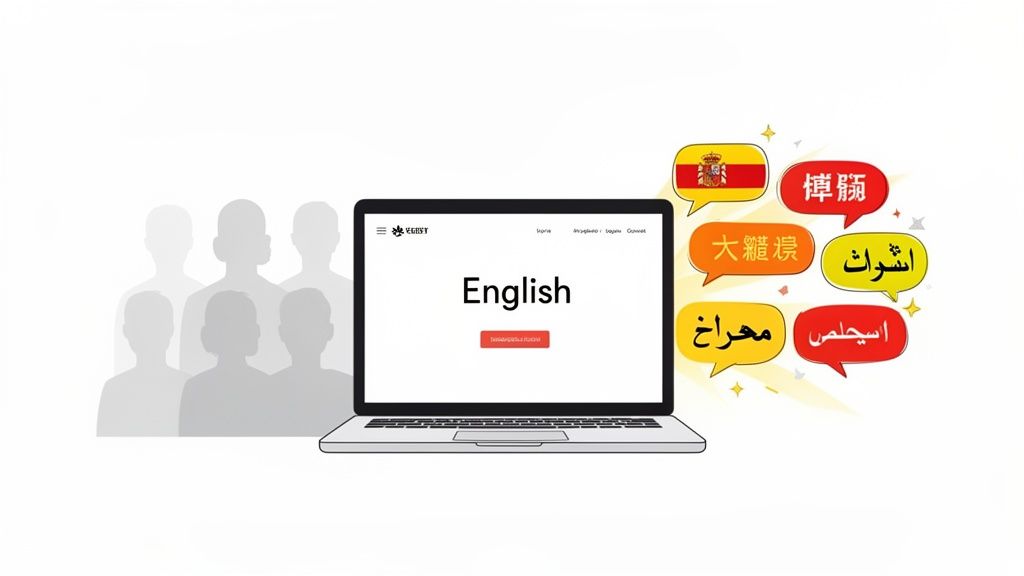
Running an English-only website might feel like the default, but it’s a huge business limitation. You’re not just missing out on a few customers here and there; you’re effectively cutting yourself off from most of the world’s online spending power.
People everywhere overwhelmingly prefer to browse, research, and buy in their own language. It’s not a minor convenience for them—it’s a massive factor in building trust and driving conversions.
When someone can read your product details, return policies, and blog posts without hitting a language barrier, they feel seen and respected. It gives them the confidence to pull out their credit card.
The Staggering Opportunity Cost
The numbers really put this into perspective. Consider that a staggering 75% of online shoppers prefer to buy from websites in their native language.
And while English content makes up a huge chunk of the web, native English speakers are only about 25% of all internet users. That gap means you could be missing out on up to 80% of global purchasing power by not offering your site in languages like Spanish, Chinese, German, or French.
By failing to translate, you are essentially telling a massive portion of the global market that your products and services are not for them. This isn’t just a missed sale; it’s a missed opportunity to build a global brand.
AI Translation Is the Modern Solution
For years, the biggest hurdles to going multilingual were cost and complexity. Manual translation was painstakingly slow, incredibly expensive, and a nightmare to manage at scale.
Hiring professional translators for every single page, product, and blog post was simply out of reach for most small and medium-sized businesses.
This is where modern AI translation completely changes the game. Instead of a long, drawn-out project, AI tools can translate your entire website in a matter of hours. You can even explore free ways to translate a WordPress website to get your feet wet.
This technology finally provides a practical, scalable path to entering new markets and unlocking growth that was previously locked behind a massive paywall. It’s a fundamental shift from a manual chore to an automated growth strategy.
Getting Your WordPress Site Ready for AI Translation
Before you can start translating pages, you need to lay the proper groundwork on your WordPress site. Getting this initial setup right is probably the most critical part of the whole process—it saves you from a world of headaches down the road. We’ll be using two essential plugins to build this foundation: the free Polylang plugin to manage the languages and the powerful Polylang Automatic AI Translation plugin by EPIC WP Solutions to do the heavy lifting.
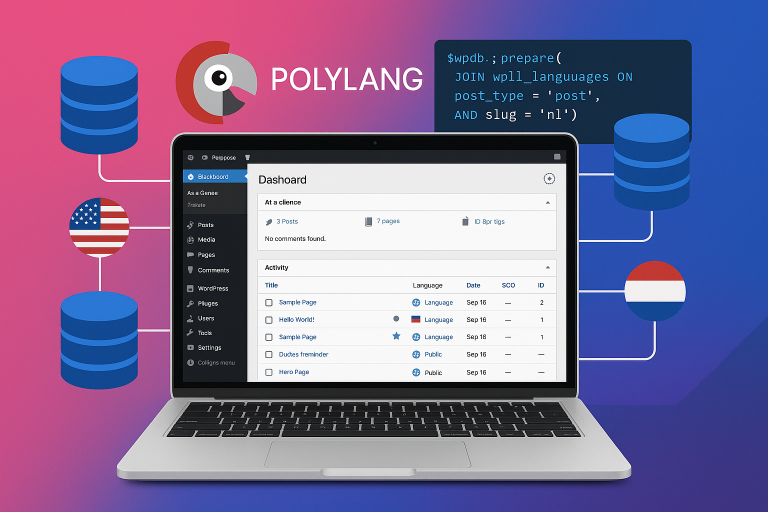
First things first, let’s get Polylang installed. It’s a popular and really solid choice for creating a bilingual or multilingual WordPress site. It’s the engine that lets you define languages, add language switchers for your visitors, and keep all your content neatly organized by language.
Head to your WordPress dashboard, go to Plugins > Add New, and search for “Polylang.” Install and activate it. As soon as it’s active, a handy setup wizard will pop up and walk you through adding the languages you need. So, if your site’s primary language is English, you might add Spanish and German here.
Installing the AI Translation Engine
With Polylang handling the language structure, it’s time to bring in the AI. The Polylang Automatic AI Translation plugin is what connects your content to the AI models that will perform the actual translation.
This plugin is designed to work seamlessly with Polylang, adding a powerful new layer of functionality. It lets you translate posts, pages, WooCommerce products, and even those tricky custom fields with just a few clicks. Installing it is a breeze—just like any other plugin you’ve added before.
A quick look at the official WordPress plugin directory shows Polylang has over 700,000 active installations. That kind of number tells you it’s reliable and widely trusted in the community, which means it’s well-tested and plays nice with countless themes and plugins.
After you activate the translation plugin, you’ll need to link it to an AI service. This is done with an API key, which basically gives your site permission to talk to the AI model. A key step here is getting your ChatGPT API key, but what’s great is that the plugin also supports other top models like Gemini, Claude, and Grok.
Pro Tip: When you’re setting up your languages in Polylang, really pay attention to the URL settings. I almost always recommend using subdirectories (like
yoursite.com/es/). It’s generally the best move for multilingual SEO because it sends a crystal-clear signal to search engines about which content is for which language.
Dialing in Your Translation Settings
Once your API key is saved, the last piece of the puzzle is to configure the plugin’s settings. This is where you get to tell the AI exactly how you want it to work with your content.
You have a few important toggles and dropdowns to work with:
- Default AI Model: Pick your preferred AI engine. Whether it’s GPT-4o or Claude 3 Sonnet, this will be your go-to for translations.
- Automatic Publishing: You can choose to have translated pages go live instantly or, my personal recommendation, have them saved as drafts. For important pages, you always want a human to give them a final look.
- Taxonomy Translation: Decide if you want categories and tags translated automatically. Turning this on helps keep your site’s navigation and organization consistent across all languages.
These settings offer you a ton of control over your translation workflow. For a much deeper dive into every single option, be sure to read our complete guide on how to set up the Polylang AI translation plugin.
With this foundation firmly in place, you’re officially ready to translate your first page.
Translating Your First Page in Minutes with AI
Alright, with all the setup out of the way, you’re ready for the fun part: watching the AI translate your content in real-time. This is where you see your initial effort pay off, turning what used to be a tedious, costly process into a few simple clicks. Honestly, you can go from a single-language page to a fully translated version in less time than it takes to brew a pot of coffee.
Let’s say you want to translate your main landing page into Spanish to start targeting a new audience. Just open that page in the WordPress editor. You’ll find the familiar Polylang language metabox on the side, but now it’s supercharged with the AI translation options.
From there, it’s ridiculously easy. Just click the “+” icon next to the language you want to add. The plugin instantly gets to work, feeding your page’s content—headings, paragraphs, image alt text, even custom fields—to the AI model you chose earlier.
One Page or One Hundred Pages
The real magic happens when you realize this isn’t just for one-off translations. Most websites are sprawling ecosystems of posts, pages, and products. Trying to translate all of that manually is a massive headache.
This diagram breaks down the initial setup, which is really just three core steps before the real work begins.
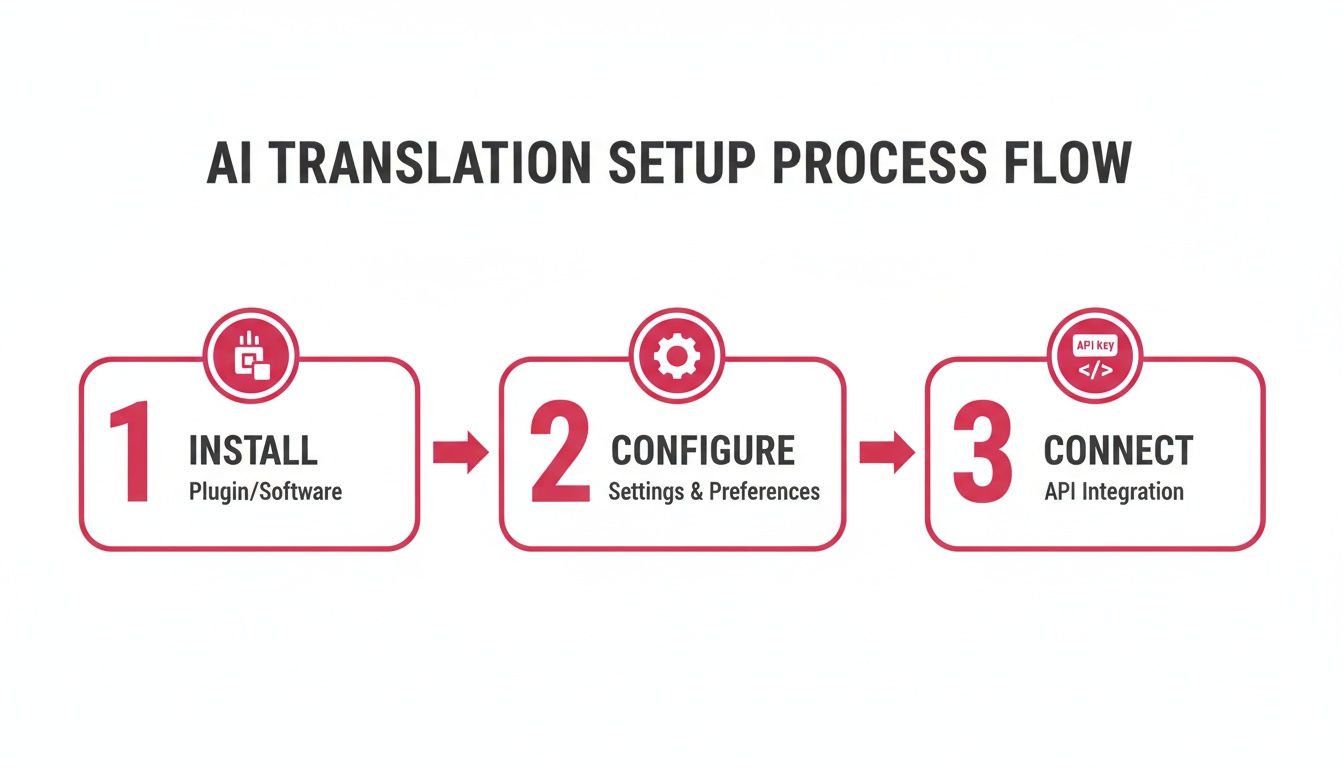
As you can see, once you install the plugin, tweak the settings, and connect your API, the translation itself becomes a smooth, automated workflow.
That’s why the Polylang Automatic AI Translation plugin comes with a bulk translation feature. Instead of clicking the plus icon on every single page, you can head to your main Pages or Posts list, tick the checkboxes next to the content you need, and translate everything in one go.
This is a complete game-changer for larger sites. Imagine a WooCommerce store with hundreds of product descriptions—you could have them all translated in an afternoon instead of over several months. This shift is driving huge growth, with the translation management software market expected to jump by $1.58 billion between 2020 and 2025. It’s not just hype; companies that adopt this kind of automation see real savings. Just look at Kaspersky, which managed to cut its translation budget tenfold in only four years.
What the Bulk Translation Process Looks Like
The plugin’s interface is designed to make this as simple as possible. You select your content, pick your target languages, and hit go.
The tool provides a central dashboard where you can manage these large-scale jobs without having to open each page individually. You can queue up translations and watch them run, giving you a clear overview of the entire process.
Whether you’re translating a single blog post or an entire e-commerce site, the core idea is the same: let the AI do the heavy lifting. This frees you up to focus on the more important stuff, like strategy and quality checks.
And if you’re using a page builder, the process is just as seamless. For a detailed walkthrough, check out our guide on how to translate Elementor sites with AI, which shows you how to maintain a consistent workflow no matter how your site is built.
Keeping Your Brand Voice Consistent Across Languages
A straight, machine-powered translation often gets the job done, but it can feel… well, robotic. It might get the words right, but it completely misses the personality—the unique voice that makes your brand yours. This literal, word-for-word approach can easily strip away your brand’s character, leaving you with content that’s technically correct but emotionally flat.
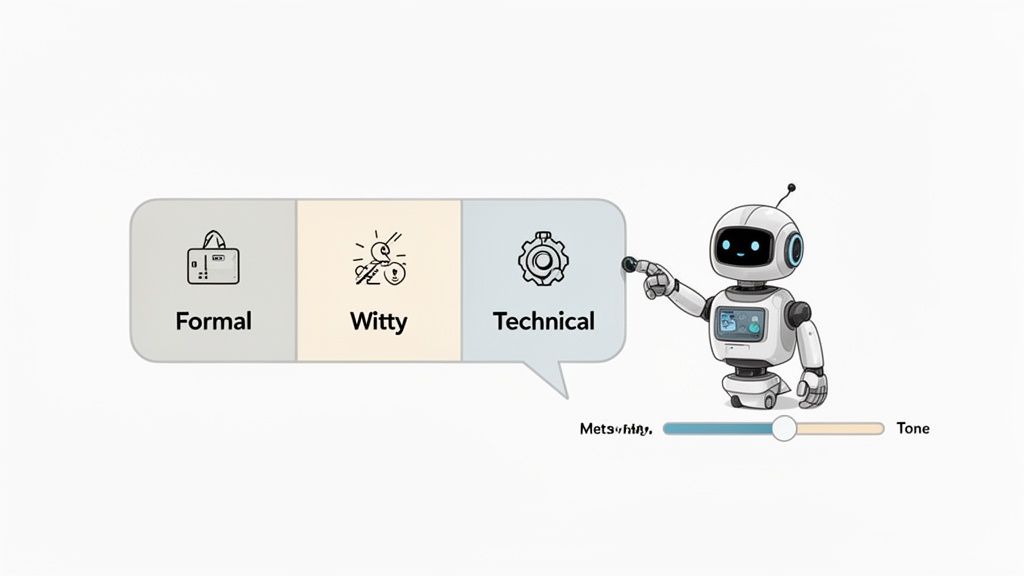
This is a classic stumble for anyone new to automated page translation. But here’s the good news: you don’t have to settle for bland output. Modern tools give you the controls to guide the AI, making sure your brand’s personality shines through, no matter the language.
Using Custom Prompts to Teach the AI
The Polylang Automatic AI Translation plugin by EPIC WP Solutions has a fantastic feature for this: custom prompts. Think of a prompt as a pre-flight checklist you give the AI before it even starts. It’s your opportunity to play creative director and tell the translation model how to write, not just what to write.
Instead of just hitting “translate” and hoping for the best, you can give it specific directions. Let’s say your brand is known for being witty and a bit informal. Your prompt could include simple instructions like:
- “Translate this with a friendly, witty, and slightly informal tone.”
- “Please avoid corporate jargon and stiff, formal language.”
- “Our audience is young, tech-savvy, and loves a good joke.”
This small tweak completely changes the game. The AI goes from being a simple dictionary to a brand-aware content assistant. It’s what separates a generic, forgettable translation from one that feels like it was crafted by someone who truly gets your brand.
Preserving Industry-Specific Terminology
Beyond just tone, custom prompts are a lifesaver for handling industry-specific jargon. Most businesses have their own lingo—unique terms, acronyms, or product names that a standard AI model might butcher or translate literally, leading to some seriously confusing results.
You can use the prompt to give the AI a mini-glossary, which is crucial for consistency and accuracy.
By creating a custom prompt, you’re essentially building a style guide for the AI. You can specify that a term like “Cloud Slinger” should remain in English or be translated a certain way, preventing awkward or incorrect renderings in the final output. This ensures your key messaging remains intact.
For example, a software company could list its proprietary feature names in the prompt and instruct the AI to never translate them. Or a legal firm could provide the exact, required translations for complex legal terms to maintain precision. This kind of control is vital for looking professional and clear, helping your translated content connect authentically and build trust with new audiences right from the start.
Optimizing Your Translations for SEO
Getting your page translated is a huge step, but the job isn’t quite done. You could have a perfect translation, but if no one can find it, it’s like a billboard posted in the middle of the desert.
The last crucial piece of the puzzle is making sure your new content can actually show up in local search results and bring in organic traffic.
This all starts with a solid quality assurance (QA) check. As good as AI is, it can still miss cultural nuances or subtle context. A quick review by a human is non-negotiable to catch any awkward phrasing, make sure the tone is culturally appropriate, and confirm your brand’s voice is still coming through loud and clear.
The Multilingual SEO Checklist
Once you’re happy with the translation itself, it’s time to dig into the technical side of multilingual SEO. You need to send crystal-clear signals to search engines so they know exactly which version of a page is meant for which audience.
Here’s a practical checklist to run through:
- Check Your Hreflang Tags: Polylang automatically adds hreflang tags for you, which essentially tell Google, “Hey, this is the Spanish version of that English page.” It’s always a good idea to view your page’s source code to double-check that they’re there and implemented correctly.
-
Localize Your URLs: Don’t leave your URL slugs in English! A URL like
yoursite.com/es/serviciosis much better for users and SEO thanyoursite.com/es/services. - Translate All Metadata: Your meta titles and descriptions are your storefront window in the search results. Make sure these are translated and, more importantly, optimized with local keywords that your new audience is actually searching for.
Simply translating your original SEO strategy won’t cut it. Keyword search habits can be wildly different from one country to another, even for the same product. What gets you to the top in the US might be a total flop in Germany.
Unlocking Global Sales Potential
This extra optimization effort pays off, big time. Investing in multilingual content has a real, measurable return—localization is known to boost sales by anywhere from 25-70%.
As global e-commerce continues to explode, the language services industry is expected to reach $75.7 billion this year. That’s a massive signal that businesses are finding new revenue streams just by speaking their customers’ language.
The most effective multilingual strategies nail both the translation quality and the SEO. After you’ve ensured your translations reflect your brand, give them the best shot at ranking by exploring the best AI SEO tools on the market. By getting both the content and the technical SEO right, you’re setting your translated pages up to rank, drive traffic, and open up entirely new markets.
Got Questions About AI Page Translation? We’ve Got Answers
When you start looking into AI translation, a few practical questions always pop up. It’s smart to wonder about the quality, the cost, and how it will all play out on your actual website. Let’s dig into the things I hear most often from people making this shift.
“Is AI Translation Really Good Enough?”
This is the big one, and the answer has changed a lot recently. We’re not talking about the clunky, word-for-word translation tools from five years ago. Modern AI models, like the ones powering our plugin, are surprisingly good at grasping context, nuance, and even your brand’s unique voice—especially when you give them a little guidance with custom prompts.
Is it a 100% perfect substitute for a human translator on your most critical legal copy or a creative marketing tagline? Probably not. But for the vast majority of web content, it gets you 90-95% of the way there in a matter of seconds. A quick once-over by a native speaker is usually all it takes to bridge that small gap, which is a massive win for speed and efficiency.
“What’s This Actually Going to Cost Me?”
Cost is always a huge factor. The great thing about AI translation is that it completely flips the old pricing model on its head. Forget about paying hefty per-word rates to an agency. Instead, you pay for what you use through the AI’s API.
For a standard blog post or a product page, you’re often looking at just a few cents. This means translating your entire site becomes genuinely affordable, not a five-figure project.
It’s not just about the lower cost, though. It’s about scalability. You can translate hundreds of pages without your budget spiraling, which lets smaller businesses punch way above their weight and reach a global audience.
“Will Adding All These Languages Slow Down My Site?”
I hear this concern all the time. People worry that a multilingual site will be sluggish, but that’s a common misconception. A well-engineered plugin like Polylang is built from the ground up to be lean and efficient.
Here’s how it works: Polylang creates distinct, separate pages for each language. When someone visits the French version of your homepage, WordPress only loads the French content. There’s no extra processing happening in the background to slow things down. Your site stays just as fast and snappy as it was with only one language.
And what about all the complex stuff? Things like Elementor widgets, custom fields from ACF, or WooCommerce product descriptions? Good news—modern tools are built for the real world. They’re designed to find and translate text no matter where it lives, ensuring nothing gets left behind in the original language.
Ready to open up your business to the world with translations that are fast, affordable, and surprisingly accurate? The EPIC WP Solutions Polylang Automatic AI Translation plugin gives you the power to translate your entire WordPress site in minutes. Take control of your multilingual strategy today.